

Four steps to book
Guests choose a type, date, number of guests and their details. Four steps, nothing more.


Table booking
Guests book a table in four steps and can pick their table on your floor plan. They can cancel on their own, and every booking lands in your dashboard.
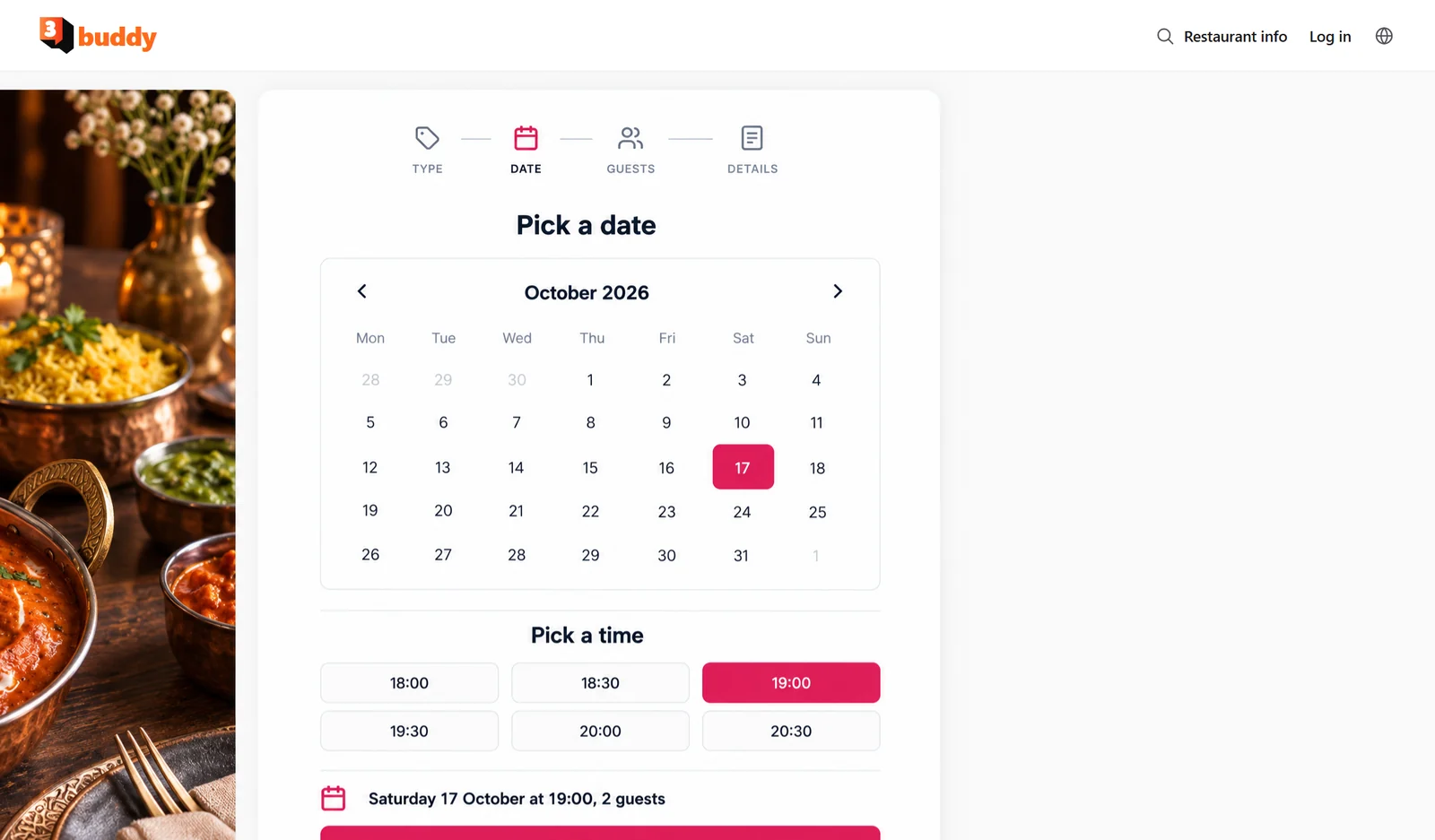
Guests choose a type, date, number of guests and their details. Four steps, nothing more.

Set up the reservation types you offer, such as à la carte, and guests choose one.

Guests can pick their table on your floor plan, or book by capacity if you prefer.

Guests can cancel their own booking without calling you.

See bookings as a list or in a calendar, with a day total for every date.

Guests see your restaurant info page and your opening hours.
Guests book from their phone in four short steps: type, date, guests and details. The page is available in Swedish and English.
 buddyLog in
Pick a dateOctober 2026
Every booking lands in your dashboard, in a list or a calendar. The calendar shows the day total next to each date.
Bookings show up in the same kitchen queue as your online orders, with a Booking chip, so the whole team works from one list.
“Guests book a table in a few taps and can cancel on their own if plans change. Fuller evenings, and far fewer calls during service.”
Yes. Guests can cancel their own booking without calling the restaurant.
No. Use table mode to let guests pick a table on your floor plan, or simple mode where bookings are based on capacity.
Yes. You set up the reservation types you offer, such as à la carte, and guests choose one in the first step.
In your dashboard, as a list or in a calendar. Every booking shows up there, next to your online orders.
Yes. The booking page is in Swedish and English, and guests can also see your restaurant info and opening hours.
 Online orderingYour own order page for pickup and deliveryLearn more
 Restaurant dashboardLive kitchen queue, stats and settingsLearn morePOSTake orders and payments at the counterComing soon
Enables security and basic functions. Always on.
Enables personalised content and personal settings.
Makes it possible to measure how the site is used.
Enables ad personalisation and tracking.